GRIDMIND / ELECTRICAL INTELLIGENCE
See the whole
picture.
GridMind helps review electrical-infrastructure images by linking visible objects, scene relationships, and risk evidence in one inspection workspace.
Electrical infrastructure · Visual inspection
 ILLUSTRATED EVIDENCE
An image shows objects.
Risk depends on relationships.
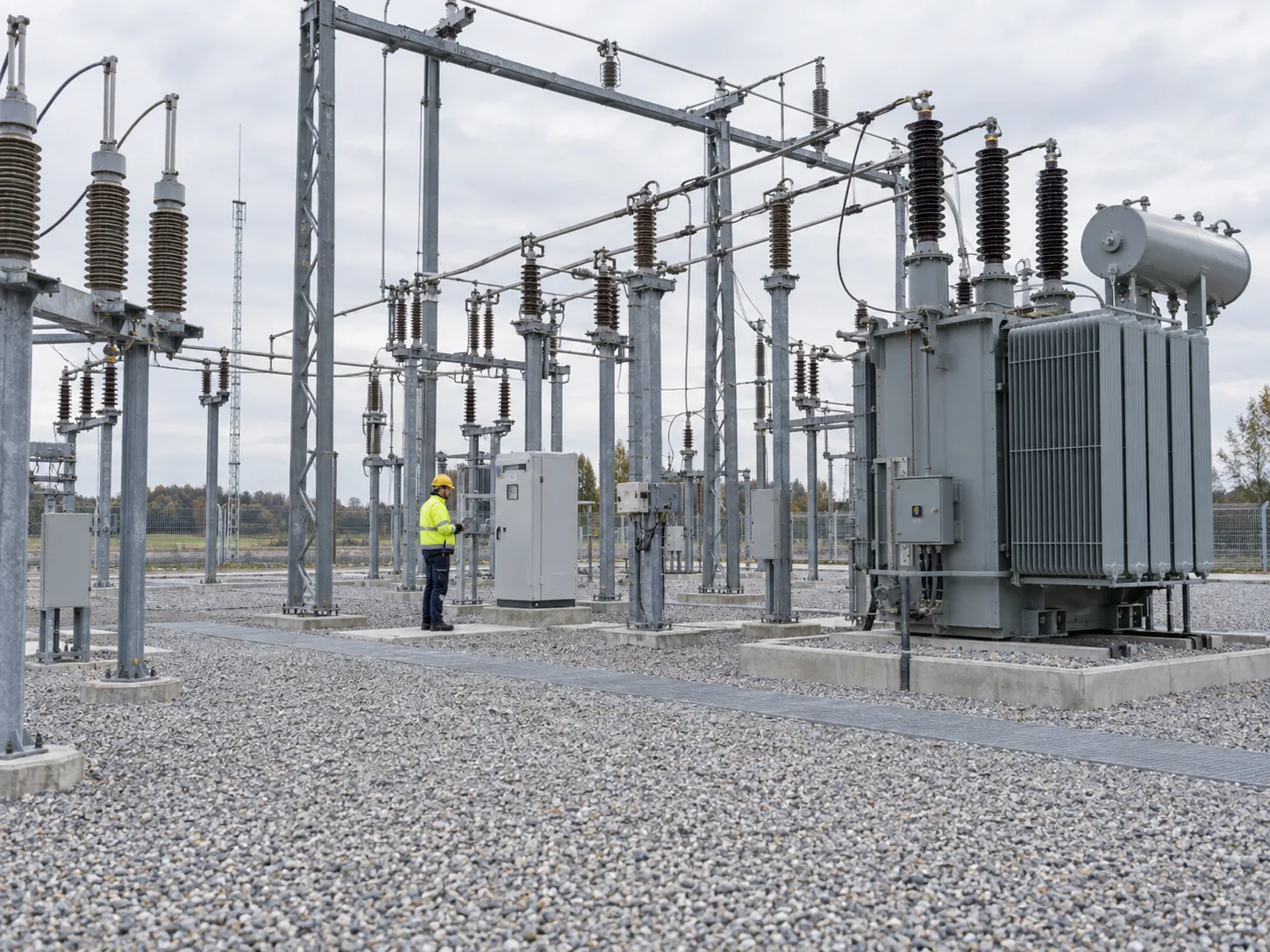
A worker, a line, and a tree may all be visible in one frame. The useful question is how they relate, what the image supports, and what still requires a field check.
Inspect the same
image in three steps.
The walkthrough starts when you reach it. Select a step to separate visible facts, scene relationships, and questions that need a person.
ILLUSTRATIVE SAMPLE / NOT A LIVE INSPECTION
Start with the source image.
The original frame stays visible so an operator can check every later claim against the scene.
Illustrative image and annotations explain the workflow. They are not model output, a measurement, or a safety determination.
Follow the
inspection flow.
This interactive public map uses the geometry of our logo. Each node explains a stage; moving signals show how evidence is passed forward. It is a workflow illustration, not live telemetry.

Source media
For this illustrated walkthrough, a substation image enters the workspace. The original frame remains available for comparison with every later statement.
Stage descriptions are public-level explanations. Connections represent evidence flow, not a live electrical network, live model trace, or measured performance.
Inspect evidence.
Review the result.
The desktop app places the source image, detected objects, risk explanation, and report actions together. An operator can compare the assessment with the original frame before acting.

Keep the original in view.
The source frame remains beside the findings. An operator can return to the image instead of relying on a summary alone.
Current desktop interface with illustrative sample data—not a live inspection or an Android screen. Phone excerpts focus on the selected workspace area.

IS NOT A SAFETY CERTIFICATE
Useful evidence.
Defined limits.
An image can show a person near equipment, but it cannot establish electrical clearance, depth, or whether field work is safe. GridMind surfaces possible concerns for review; qualified people make the operational decision.
SYSTEM ARCHITECTURE
See the method.
Know the limits.
Explore what GridMind observes, how an assessment is reviewed, and which questions still need qualified field judgment.
Explore the technology